


niji・journey - AI Anime Art
3.9361.00 Reviews
App Specs
- Version
- 1.43.0
- Updated On
- License
- Free
- Downloads
- 1,000,000+
- Developer
- Spellbrush
- Categories
- Art & Design
- Platform
- Android, iOS
Screenshots
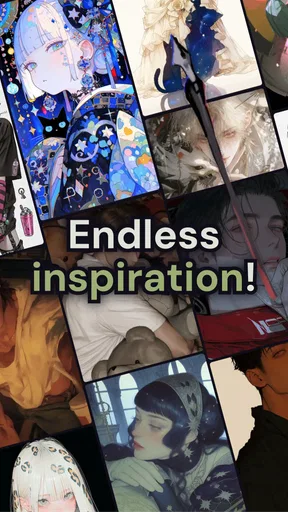
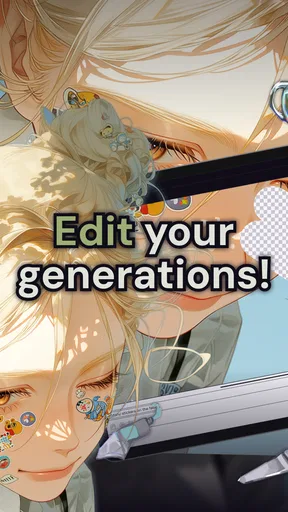
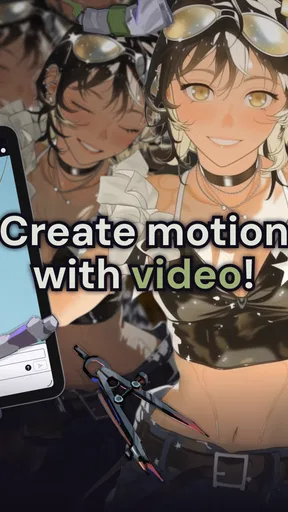
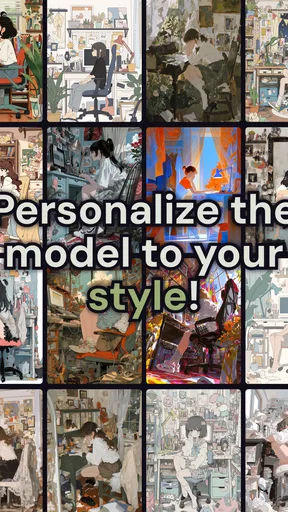
 Analysis by AppCompare
What makes an anime image feel like yours rather than just a nice result from a generator? For me, the difference is having a clear idea, making a few deliberate choices, and learning how the tool responds. That is the part of niji・journey - AI Anime Art I find most interesting: it gives anime-focused image-making a low-friction starting point, while still leaving room to refine what you ask for.
A repeatable way to turn an idea into an image
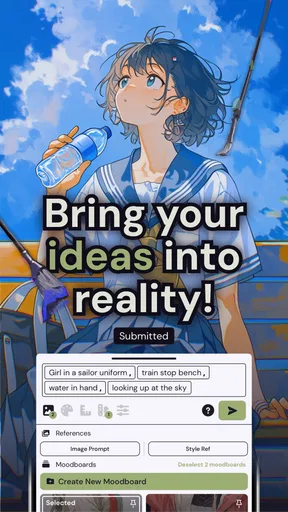
I get better results when I treat each generation as a small creative brief instead of tossing in a pile of disconnected keywords. I start with the subject, then add a setting, mood, and one or two visual details that matter most. For example, a character waiting at a rainy train station is a more useful starting point than simply asking for “a beautiful anime scene.” The first prompt gives the image a situation to organize around.
When a result is close but not quite right, I change one part of the description at a time. If I rewrite the subject, lighting, background, and mood all at once, it becomes hard to tell which change helped. Keeping the core idea steady while adjusting a single detail makes experimentation more informative, and it gives me a better chance of finding a direction I can repeat.
This is also a practical way to decide whether the app suits your project. It can help you explore a character concept, make a personal image, or find a visual mood for a hobby project. I would not treat a generated image as a finished illustration when exact anatomy, lettering, or continuity across a set of scenes is essential. The strongest use is often exploration: seeing possibilities, then choosing what to develop further.
Settings and choices that are worth your attention
Even a simple workflow benefits from pausing before you generate. If the app presents style or other creative choices, I decide what role they should play before adding more prompt detail. A clearly chosen anime direction can do more than a long list of loosely related adjectives. The useful habit is to make each instruction earn its place: keep the details that define the image, and remove ones that pull it in competing directions.
I also think about what I want to do with the image before spending time polishing an idea. A mood-board image can tolerate a happy accident; a profile picture needs a readable face and a crop that works at small size. For a wallpaper, the composition and open space matter more. These are not magic settings, but they are good prompt decisions: describe the subject’s placement and the intended feel rather than focusing only on decorative detail.
If you are trying several versions, save or note the wording that produced the parts you liked. That makes it easier to build on a successful idea instead of trying to reconstruct it from memory. I would also keep a short personal prompt template—subject, action, setting, mood, defining details—and adapt it for each new image. It is a modest habit, but it turns casual trial and error into a more controlled creative process.
Worth Reading Before You Choose

EA SPORTS FC Mobile 26 Is a Bigger Football Game, but It Takes Time

Flipboard Shows What News Apps Must Do Beyond the Feed

Switching to Android Auto Means Rethinking Your Driving Routine

Google Calendar Makes a Crowded Week Easier to Manage

Ludo King Makes the Most of the Minutes Between Plans

Baby Panda World Brings Quick Play to Modern Phones, but Its Game Library Feels Busy
Where it fits among other art tools
As an Art & Design app from Spellbrush, niji・journey is aimed at a narrower visual goal than a general drawing program. A traditional art app gives you direct control over every brushstroke and is the better choice if you want to build hand-drawing skill or adjust a tiny detail precisely. A general-purpose image generator may be more suitable when you need a broader range of visual subjects. This app makes the most sense when anime-inspired imagery is the point and you want to move from words to a visual idea without first learning a full illustration workflow.
That convenience does not remove the need for judgment. Generated images can interpret a prompt in a way you did not intend, so I review the actual result instead of assuming that every detail followed my instructions. If a project depends on precise visual consistency, I would use the image as a reference and finish the work in a tool that offers hands-on editing. If the goal is a quick concept or a spark for a story, that trade-off is much easier to accept.
Who will enjoy it, and who may prefer something else
I would recommend it to anime fans who like inventing characters and settings, writers who want a visual starting point for a scene, and casual creators who would rather describe an idea than draw it from scratch. It can also suit someone who wants to experiment without making a finished, professional illustration the first goal. The app has a Teen content rating, so it is intended for a teen audience and older users, rather than being a children’s art app.
On an ordinary evening, I might have a few minutes between tasks and an idea for a quiet fantasy scene. I can write down the subject and atmosphere, make a first attempt, then adjust one detail if the image feels too busy or too plain. That is a satisfying use of a phone-based art tool: a small creative break with a visible result, rather than a commitment to a long drawing session. If I needed a polished sequence with the same character in several carefully matched poses, though, I would choose a workflow built around manual control and consistency.
The app is free to download, with in-app purchases ranging from $3.99 to $59.99 per item. I would explore the basic creative workflow first and decide whether I use it often enough to justify any optional purchase. You do not need to spend money simply to find out whether prompt-led anime art is enjoyable for you, but anyone considering a purchase should check what that particular item offers in the app before deciding.
The Magic of AI in Your Hands
So, the first thing that caught my attention was how easy it is to get started with niji・journey - AI Anime Art. You don’t have to be a tech wizard to navigate it. The interface is sleek and intuitive, making it super accessible for everyone, from anime newbies to seasoned otakus. I was up and running in no time, ready to explore what this app had to offer.
The app uses AI to transform your ideas into stunning anime visuals. Yes, you heard it right! You can input your concepts, and voilà, watch them turn into beautiful anime art. It’s like having your own personal anime artist at your disposal 24/7.
Features That Stand Out
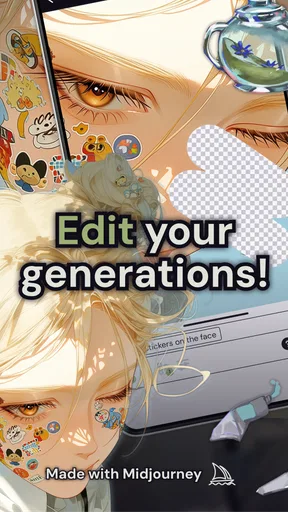
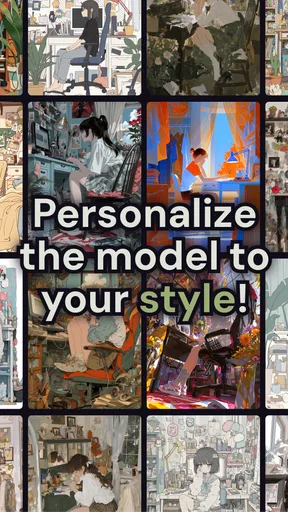
Customization Galore: One of the coolest features is the customization options. You can tweak almost every aspect of the art – colors, styles, backgrounds, you name it. I spent a good hour just playing around with different styles and was blown away by the variety.
Community Connection: Another feature I found super engaging is the community aspect. You can share your creations with other users, get feedback, and even collaborate on projects. It’s like a social network for anime art lovers, and I’ve already made a couple of friends who share my passion.
Regular Updates: Spellbrush develops the app, and its current version is 1.32.0. It first appeared on October 14, 2023, and has continued to receive updates. I like seeing ongoing development, though an update alone does not guarantee that a particular feature will suit my workflow; I still judge the app by how well it handles the ideas I actually want to make.
The Creative Process
Now, let’s talk about the creative process. I started by inputting a simple description: "a mystical forest at twilight with glowing creatures." The AI took my somewhat vague idea and turned it into something straight out of an anime scene. The colors were vibrant, and the details were so intricate that it felt like the forest was coming alive on my screen.
The AI’s ability to understand and execute complex prompts is impressive. It’s not just about creating pretty pictures; it’s about capturing the essence of what you envision. And trust me, it does a fantastic job at that.
Why I Keep Coming Back
Endless Inspiration: Every time I use the app, I discover something new. Whether it’s a different art style or a new technique, there’s always something to learn and experiment with. It keeps the creative juices flowing, and I love that.
User-Friendly Experience: The app is surprisingly easy to use, which is a huge plus. No complicated menus or settings, just straightforward fun. I think that’s why I keep coming back to it – it’s pure, unadulterated joy without any hassle.
Community Vibes: The community aspect is also a major draw. It’s not just about creating art; it’s about sharing it and getting inspired by others. The feedback and support from fellow users make the whole experience much more enriching.
Reading the audience and setting expectations
There is a useful distinction between making art for yourself and making an image that has to meet a brief. For a personal avatar, a character mood sketch, or a scene to share with friends, the app’s speed and anime focus are appealing. For client work, exact brand requirements, or a project where every small visual choice must be repeatable, I would treat the generated output as a draft rather than a deliverable. That keeps expectations realistic and avoids asking prompt-based creation to behave like a conventional illustration editor.
The community can help with inspiration, but sharing is a choice, not a required step in the creative process. I would decide whether an image is ready to show before posting it, especially if I am still testing an idea or want to keep a personal concept private. When I do share, I find it more useful to ask for feedback on one concrete question—such as whether the scene reads as peaceful or mysterious—than to ask people to judge everything at once.
Small habits that make experimentation more useful
A helpful trick is to keep a “seed” description for a character or setting and change only the scene around it. This does not promise that every generated image will preserve every feature, but it gives you a consistent starting point and makes differences easier to notice. If the character’s look drifts, I would use the closest result as inspiration and describe the defining traits more clearly in the next attempt rather than assuming the app will maintain continuity automatically.
I also avoid putting contradictory directions in one prompt. Asking for a quiet, empty scene and a crowded, high-energy background can make the outcome feel unfocused. I choose the priority first: if the character matters most, I describe the pose and expression before adding atmosphere; if the setting is the point, I give the location and lighting more weight. That simple order helps me make a more deliberate request without needing a complicated workflow.
Another useful trade-off is knowing when to stop. It is easy to keep adjusting a prompt because a new version might be better, but repeated changes can move away from the image that first worked. I save the wording for a promising direction, then make a small number of purposeful variations. If none improves the result, I return to the saved description and start a separate idea rather than endlessly piling on instructions.
Practical details before you settle into a routine
The app has an average rating of 4.0 from around 4.9 thousand ratings, with 347 written reviews, and it has passed half a million installs. Those figures suggest that it has found an audience, but they do not tell me whether my own preferred style or prompt habits will work well. I would use the first session to test a few different subjects—such as a character portrait, a simple landscape, and a more specific scene—before deciding how central it should be to my creative routine.
It supports Android 10 and later, so checking your device’s operating-system version is a sensible first step if installation is not available. After that, the question most people have is whether they need drawing experience: I would say no, because the basic interaction is describing what you want. Drawing experience can still help when you are judging composition or deciding what needs correction, but it is not a prerequisite for experimenting.
People also wonder whether the app can replace a drawing tool. In my view, it serves a different purpose. It is useful for turning a written idea into an anime-style visual quickly, while a drawing app is better for precise edits, deliberate line work, and a finished piece shaped stroke by stroke. If you want a fast concept, this is the more approachable route; if control and fine correction matter most, manual tools are the stronger choice.
Wrapping It Up
In conclusion, niji・journey - AI Anime Art is more than just an app; it’s a gateway to a creative universe where your imagination is the only limit. Whether you’re an anime fan or just someone looking to explore new artistic avenues, this app is definitely worth checking out.
So, if you’re ready to unleash your inner anime artist, give it a try. Trust me, you won’t be disappointed. Who knows, you might just create the next big thing in anime art!
Pros
- High-quality AI-generated anime art.
- User-friendly interface for easy navigation.
- Regular updates with new art styles.
- Customizable settings for unique creations.
- Fast processing time for art generation.
Cons
- Limited free features; premium needed.
- Occasional glitches during art rendering.
- Requires stable internet connection.
- High battery consumption in use.
- In-app ads can be intrusive.
FAQs for niji・journey - AI Anime Art
What is niji・journey - AI Anime Art?
niji・journey - AI Anime Art is an innovative application that utilizes artificial intelligence to transform your photos into stunning anime-style artworks. The app offers a variety of filters and customization options, allowing users to explore their creativity and express themselves through unique anime art transformations.
How does niji・journey's AI technology work?
The app uses advanced AI algorithms to analyze the input image and apply stylistic transformations that mimic popular anime aesthetics. It leverages machine learning models trained on vast datasets of anime art, ensuring high-quality and authentic anime-style representations. The AI does most of the work, giving users an effortless experience.
Is niji・journey - AI Anime Art free to use?
The app offers a free version with basic features and a selection of filters. However, to access premium features, additional filters, and advanced customization tools, users may need to opt for in-app purchases or a subscription plan. This allows the developers to offer continued support and updates.
Can I share my creations from niji・journey on social media?
Yes, niji・journey allows you to easily share your anime art creations on various social media platforms. The app includes integrated sharing options for popular networks like Instagram, Facebook, and Twitter, enabling you to showcase your artistic creations to a wider audience with just a few taps.
What devices are compatible with niji・journey - AI Anime Art?
niji・journey is available for both Android and iOS devices. The app is optimized for a wide range of smartphones and tablets, ensuring smooth performance across different hardware configurations. Users should check the app store for specific system requirements to ensure compatibility with their devices.


